The project conversation, on one canvas
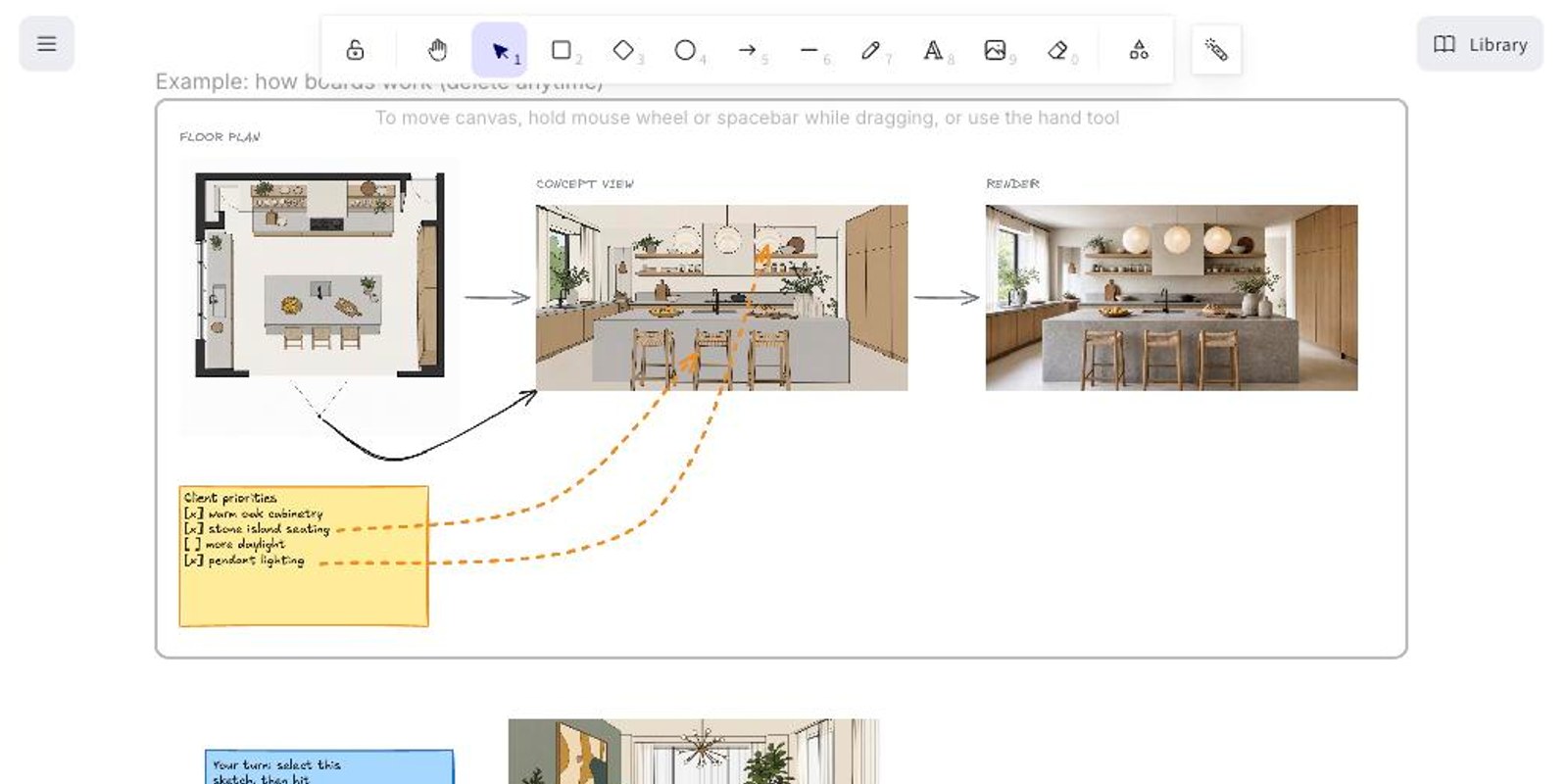
Design decisions rarely happen inside a single image. Boards puts the whole working state side by side: concept sketches, plans, references, renders, and the notes between them, on a live canvas your team and your clients can join with one link.
A live canvas for the messy middle
Sketches, plans, renders, photos, and notes on an infinite board, edited together in real time. Version history keeps every earlier state recoverable, so nothing is lost to a bold idea.
Render straight from the board
Select any sketch on the board and render it in place. It is the fastest path from a rough idea to a photoreal image, without leaving the discussion that produced it.
Draw the feedback, refine the region
Mark up a render to show what should change, then refine that area without starting over. Feedback and fix live in the same place, which is where the client already is.
Built for the client side of the table
A board is where sign-off happens, so sharing is deliberately simple: one link per board, with exactly as much access as you choose to give.
One link, three states
Each board has a single share link set to off, view, or edit. Flip it to off and the link stops working immediately.
Guests join in a click
An edit link lets clients and consultants sketch, comment, and render with you. Guest editors follow the board owner’s plan: 2 on Starter, 5 on Pro, 10 on Studio.
Your logo, not ours
On Pro and Studio, shared boards carry your brand logo instead of the Vizbase badge. What the client sees is your studio’s board.
Questions about Boards
Is Boards included in my plan?
Yes, on every plan; the Free plan includes one board. Guest editing on shared boards is available on paid plans.
How many people can edit a board?
Guest editors depend on the board owner’s plan: 2 on Starter, 5 on Pro, 10 on Studio. Teamspace members collaborate on team boards as part of their seats.
Can guests render?
Yes. Guests with edit access can use Quick Render. On teamspace boards those renders draw the team’s shared credit pool; on personal boards guests render on their own credits.
Can I turn a share link off?
Yes, instantly. The link has three states: off, view, or edit. Set it to off and it stops working; set it back and the same board is reachable again.
How do I learn it?
Your first board opens with a small worked example: floor plan, concept view, and render, plus a try-it sketch wired for Quick Render. Delete it whenever you like.
Put the next design conversation on a board
Included on every plan. Start free, share when you are ready.
START FREE