Turn any photo into a material
See a surface you want to specify: a weathered brick facade, a terrazzo floor, a linen sample on your desk? Photograph it, click it, and VizBase extracts it as a seamless material with a full PBR map set. It joins your library for rendering and downloads as engine-ready maps for your 3D tools.
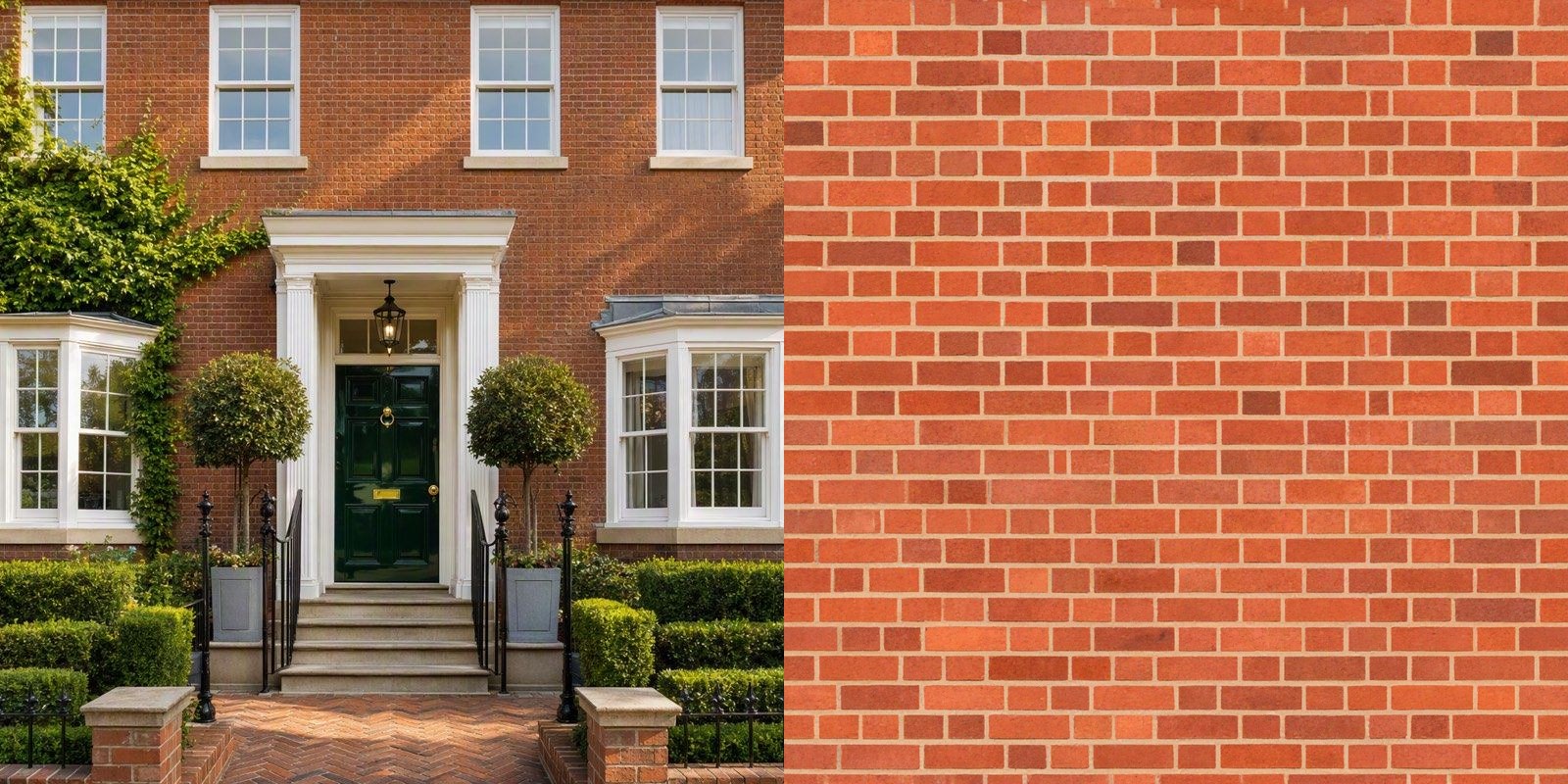
This is real output, not a mock-up: the brick on the right was extracted from the facade on the left by clicking it once. Shadows, ivy, windows, and perspective are gone; the bond pattern, mortar, and weathering survive.
HOW IT WORKS
01
Point at a surface
Upload any photo: a site visit, a supplier sample, a reference you love. Click the surface you want and it is identified for you, or just describe it in a few words.
02
Extract
For 0.5 credits, the surface is isolated, lighting and perspective are removed, and a seamless tiling material is generated. It runs in the background for a few minutes, and you get a ping the moment it is ready.
03
Save and use
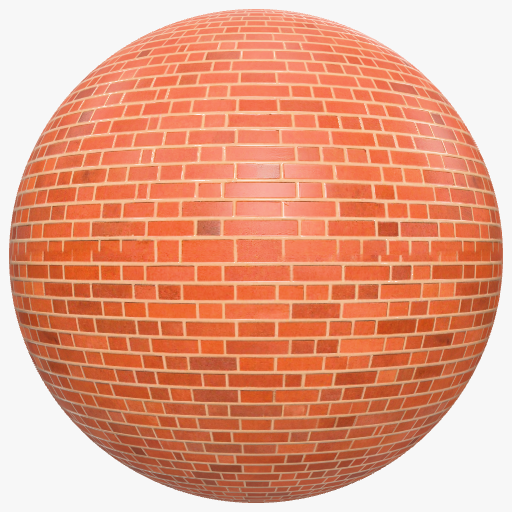
The material lands in your library with a rendered sphere preview, named and described automatically. Apply it to any element in your next render, or download the full map set.
Five PBR maps, not just a picture
Every extraction produces the standard physically based rendering set: color, normal, roughness, metalness, and height. That is why the sphere preview above shows real mortar-line relief instead of a flat image wrapped around a ball, and why the maps drop straight into professional 3D workflows.
- Seamless and tileable in both directions
- One-click ZIP download of all five maps
- Works in SketchUp with V-Ray or Enscape, Blender, 3ds Max, Unreal
- Shareable to your teamspace library like any material
Questions about material extraction
What kind of photos work best?
Any JPEG, PNG, or WebP up to 10MB with a reasonably clear view of the surface. The photo does not need to be straight-on or evenly lit: extraction removes shadows, highlights, and perspective on its own. An ivy-covered brick facade photographed at an angle still comes back as clean, flat brick.
What exactly do I get from an extraction?
Two things. A material in your VizBase library, ready to apply to any element in a render and shareable with your teamspace. And a full PBR map set: color, normal, roughness, metalness, and height, each seamless and tileable, downloadable as a ZIP for use in SketchUp with V-Ray or Enscape, Blender, 3ds Max, Unreal, and any other tool that reads standard PBR maps.
Do I have to wait while it runs?
No. Extraction runs in the background. Close the window, keep rendering, or leave the page entirely: a notice follows you around the app and tells you the moment your material is ready to save. A typical extraction takes a few minutes.
What does it cost, and what if it fails?
One extraction costs 0.5 credits, on every plan including the free credits you start with. If an extraction fails for any reason, the credits are refunded automatically.
Specify the exact surface you saw
5 free credits — up to 10 renders, no watermark, no card required.
START FREE