Why Local Interior Designers Are Winning Bigger Contracts Using AI
When a client searches “interior design near me,” they are not just looking for proximity — they are looking for someone who understands their specific space, their neighborhood, their context. Local designers and boutique agencies have always held that advantage over larger national firms. What changes the game is what happens in the first meeting: instead of saying “trust my vision,” the designers who win the contract are the ones who show it.
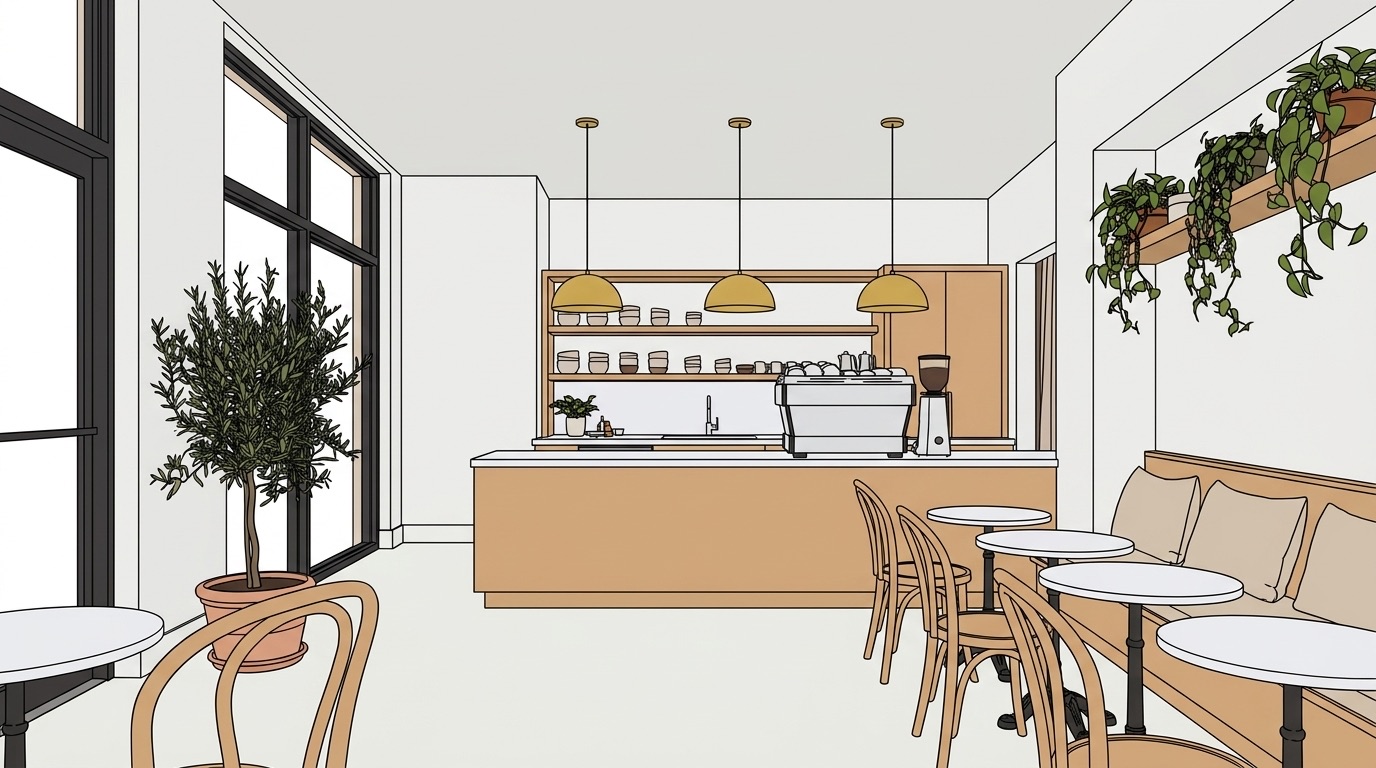 AFTER — PHOTOREALISTIC RENDER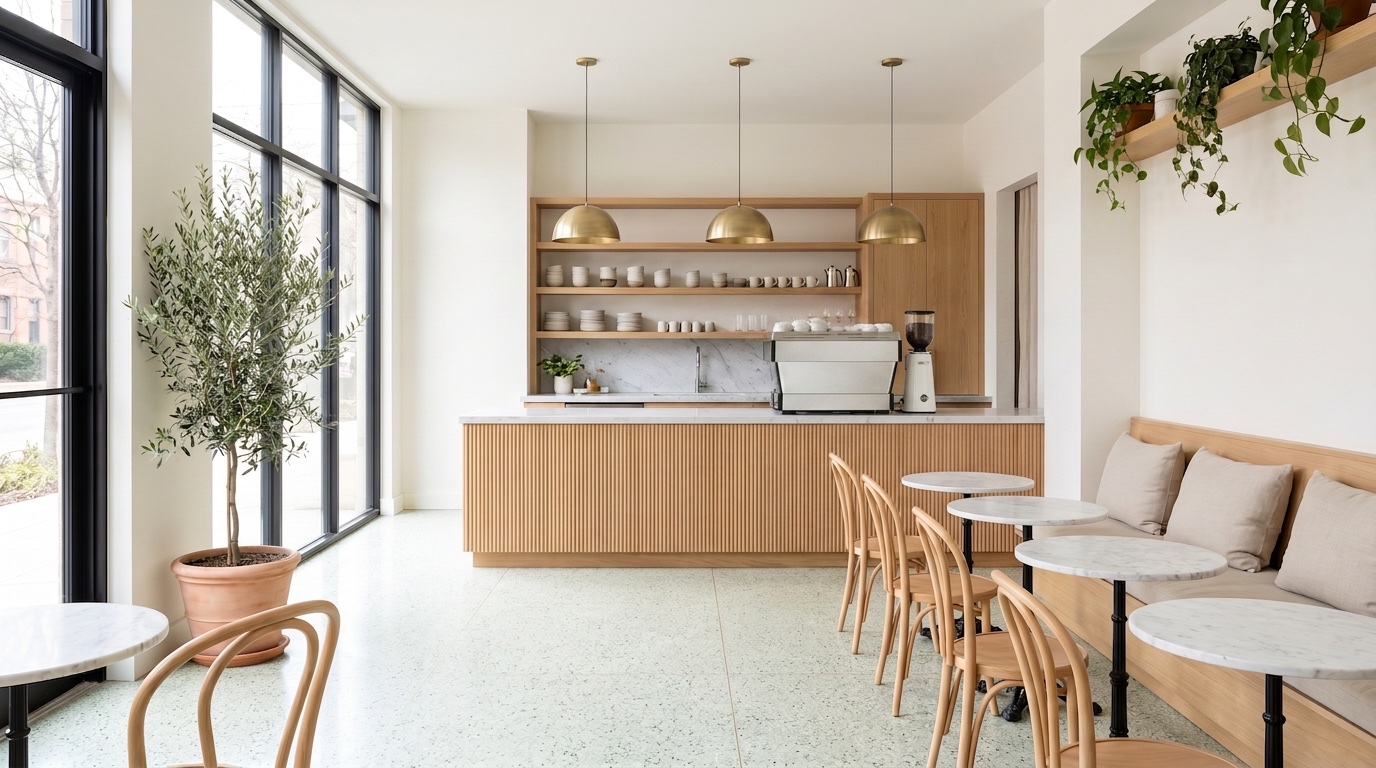
From flat concept drawing to the kind of photorealistic visual a designer can put in front of a client in the first meeting.
The contract gap: showing versus telling
Traditional client acquisition follows a familiar pattern. The first meeting is exploratory — you listen, ask questions, sketch rough ideas, and promise to follow up with concepts. That follow-up mood board arrives three to seven days later, by which point the client has spoken to two or three other designers and their mental image of the space has drifted. The decision gets harder, not easier.
The problem is not the mood board itself. It's the gap between vision and comprehension. Clients who cannot visualize spatial relationships, material combinations, or lighting effects are being asked to make a significant financial commitment based on their imagination. A reference image of a kitchen from a design magazine is not the same as seeing their kitchen with a honed marble countertop and a fluted oak island. The contract stalls because the client is uncertain, not because they dislike the concept.
The designers closing contracts in the first meeting are the ones who have closed that gap.
What the new workflow looks like in practice
With AI-powered visualization, the first meeting becomes the presentation. You upload a sketch, a SketchUp export, or a photo of the existing space. The tool auto-detects every element in the scene — walls, floor, cabinets, furniture, fixtures — and outlines each one with a clickable mask. Click the countertop and type “honed Calacatta marble.” Click the island and type “fluted white oak, matte lacquer.” Click the pendant fixtures and describe the finish. Then generate a photorealistic render of their actual space.
The client is still sitting across from you.
If they want to see the same space with darker cabinetry, you paint a selection over the cabinets, describe the material change, and run a Refine — the render is redrawn with the darker cabinetry, without starting over. Two or three rounds of this, and the client is not imagining the result — they are looking at it. That is the moment the contract moves from “we'll think about it” to “where do we sign?”
For a deeper look at how this plays out across different room types, see the complete guide to AI interior design or browse the gallery for output examples.
Why commercial interior design clients respond particularly well
Commercial clients — restaurant owners, boutique retail operators, office developers — face higher stakes than most residential clients. A café fit-out that misses the brief costs real money in rework, and the owner often needs to align multiple stakeholders before signing off. These clients have frequently seen mood boards fail them, and they are wary of “we'll handle the details in execution.”
Showing a photorealistic mockup of their actual commercial interior space in the first meeting does two things. It demonstrates that you understand their space specifically, not a generic version of it — the proportions are right, the existing structural elements are there, the feel is grounded in reality. And it shortens the approval chain: stakeholders who were not in the room can evaluate the concept from a realistic image rather than squinting at a fabric swatch pinned to a presentation board.
For designers building a practice in commercial work, faster pitches with higher close rates compound quickly. More first meetings converted means more projects in the portfolio, which means better clients in the next cycle.
The local advantage, made concrete
The reason “interior design near me” searches convert so well for local designers is trust and context. Clients believe a local designer knows their building's constraints, the light at different times of day, the aesthetic of the neighborhood. That trust is real, and it creates a genuine opening advantage in the first meeting.
The competitive risk is what happens after the meeting. A large national firm with a dedicated visualization team can produce polished renders within a few days. If the local designer leaves the meeting with only notes and a promise to follow up, that advantage starts to erode. A competitor who delivers a photorealistic concept first — even if the concept is slightly off — frames the client's expectations.
Pairing the local trust advantage with the ability to produce client-specific photorealistic visuals before the meeting ends eliminates that risk entirely. The contract discussion happens while the designer is still in the room, before any competitor has had a chance to follow up.
Getting started
Vizbase runs entirely in a browser — no GPU, no 3D software, no local installation required. Sign up for freeand get 5 free credits (up to 10 renders) that refresh monthly, no credit card needed. That's enough to try the workflow on a real project before committing to anything.
The Starter plan at €29/month includes thirty credits, which covers most pitch workflows comfortably. Pro at €59/month gives seventy-five credits for designers with active project pipelines. Studio at €109/month gives one hundred seventy-five credits for high-volume practices or teams. Annual billing saves fifteen percent across all tiers. The AI interior design generator works with sketches, SketchUp exports, reference photos, or photos of existing spaces — whatever you have going into the first client meeting.
Frequently asked questions
How do interior designers use AI for client presentations?
Designers upload a sketch, SketchUp export, or photo of the existing space to Vizbase. The tool auto-detects every element in the scene — walls, floor, cabinets, furniture, fixtures. The designer clicks any element, types a material description ("Calacatta marble, honed finish"), and generates a photorealistic render. The result is a client-specific visual of their actual space, ready to show before the meeting ends.
Can AI render commercial interior spaces accurately?
Yes. Vizbase handles commercial spaces — cafés, boutique retail, offices, hospitality interiors — the same way it handles residential ones. Upload a photo or drawing of the space, describe the materials and finishes for each detected element, and generate a photorealistic render. For commercial projects where stakeholder approval matters, 4K, 6K and 8K exports give you print-ready files for large-format presentations.
Does AI visualization replace the interior designer's expertise?
No. The AI handles the rendering — translating a material description into a photorealistic image. The designer still makes every creative decision: space planning, material selection, lighting approach, style direction. What changes is the speed at which those decisions become visible to the client. A designer with Vizbase can show three material options in a single meeting rather than promising to follow up. The expertise is the same; the feedback loop is faster.
How much does AI interior design visualization cost?
Vizbase offers a Free plan with 5 credits a month (up to 10 renders) — no credit card required — which is enough to try the workflow on a real project. The Starter plan is €29/month (30 credits), Pro is €59/month (75 credits), and Studio is €109/month (175 credits). Annual billing saves 15% across all tiers. A typical client presentation uses two to five renders, so most designers find the Starter plan covers their pitch workflow and the Pro plan covers active project work.
What types of interior spaces can Vizbase visualize?
Vizbase works on any interior space where the source image shows recognizable geometry: residential rooms (living rooms, kitchens, bathrooms, bedrooms), commercial spaces (cafés, retail stores, hotel lobbies, office interiors), and renovation projects where a photo of the existing space is the starting point. The auto-segmentation detects elements based on what it sees in the image, so unusual or complex layouts work as long as the key surfaces are visible in the source.
Ready to show clients their space before the meeting ends?
5 free credits (up to 10 renders). No credit card. Takes 30 seconds to sign up.
GET STARTED FREE