Stop Working Weekends: Automate Your 3D Architectural Rendering
The bottleneck in most architecture and interior design practices is not creativity — it's render time. Every project carries a hidden tax: hours spent tweaking lighting nodes, waiting on render queues, and batching overnight jobs just to show a client three material options. That time comes out of your evenings. It's worth asking whether the tool that costs you those hours is doing something the alternative can't.
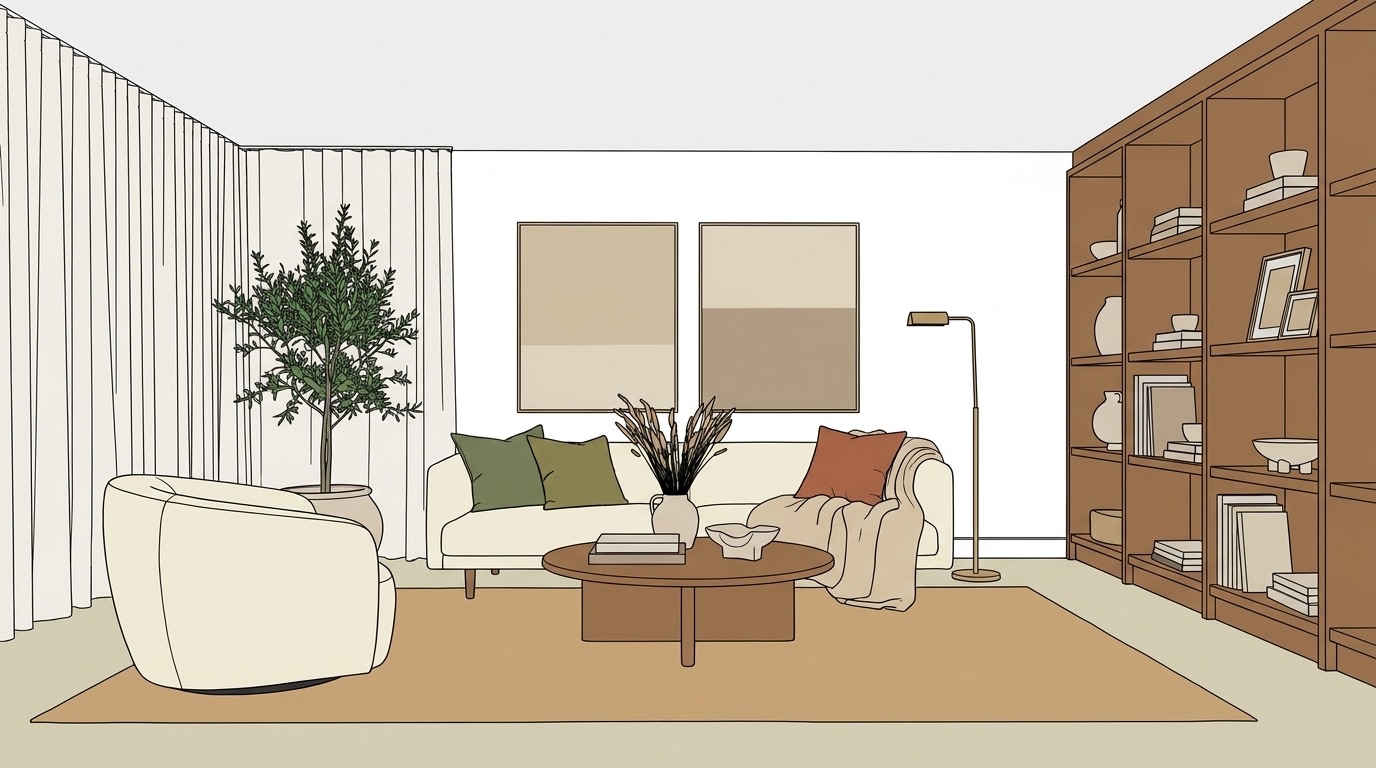 AFTER — PHOTOREALISTIC RENDER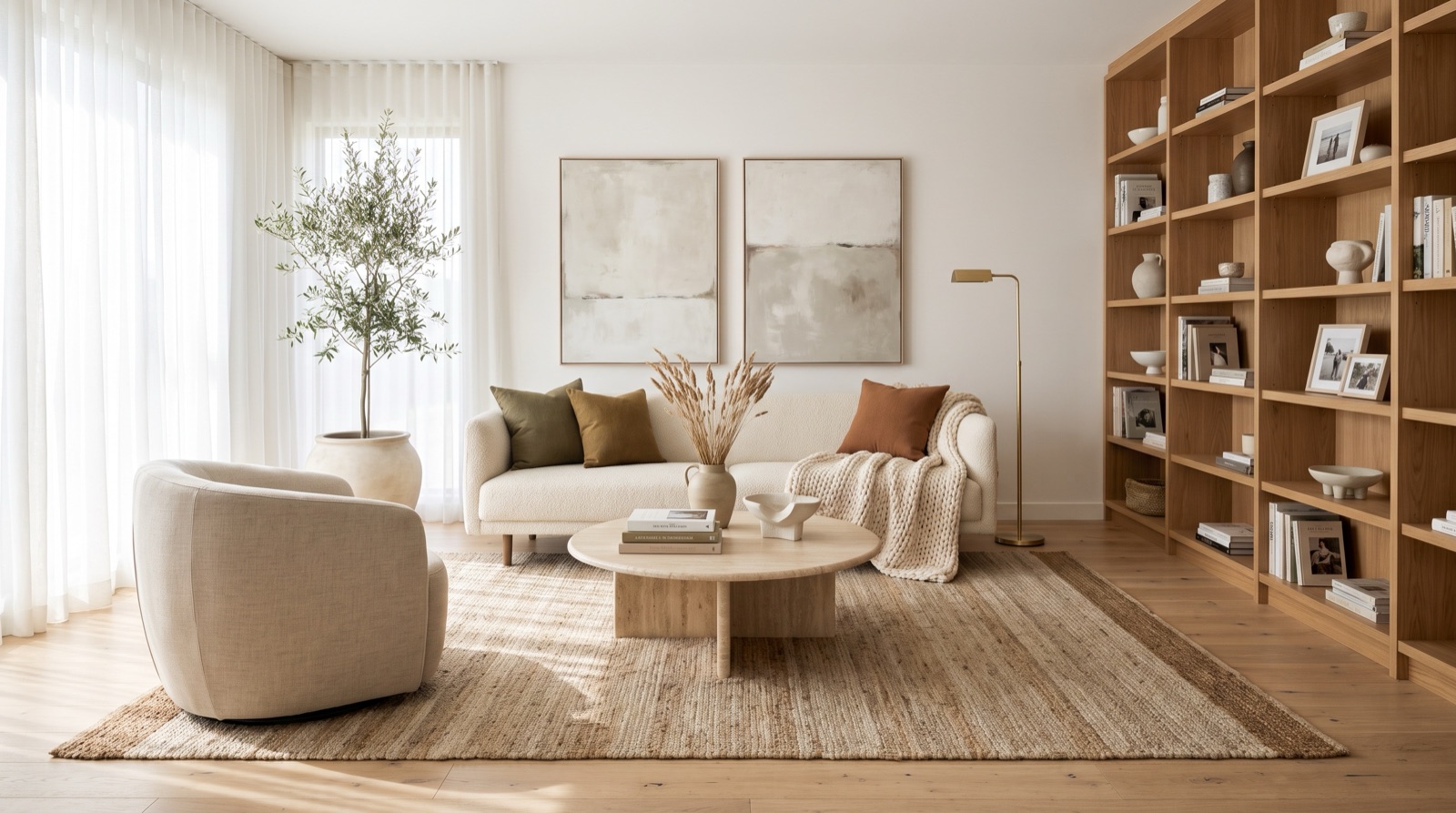
From concept drawing to photorealistic render — the iteration loop that used to cost an evening.
The hidden math of a render project
A typical client presentation needs 15–40 images: multiple rooms, multiple angles, a few material options. With V-Ray or Enscape, a presentation-quality still takes 45–90 minutes per image — that's scene setup, material assignment, lighting calibration, and the render itself. On a 40-image project, that's 30–60 hours of machine time before a single revision request arrives.
Revision requests always arrive. “Can we see the kitchen in white oak instead of walnut?” That's another 45 minutes. “And with a darker countertop?” Another 45. The math compounds fast, and it all happens after the creative work is done — which means it happens in the margins of your week.
The Vizbase workflow changes that math: in our tests Gen 3.0 took 77–151 seconds per image. To change one element, use Refine instead of starting over. The creative loop stays open instead of closing overnight.
What the workflow actually looks like
Upload a sketch, a SketchUp export, a 3D render, or a photograph of an existing space. Vizbase auto-detects the elements in the scene — walls, floor, ceiling, furniture, fixtures, windows — and draws a clickable mask over each one.
Click any mask and type the material you want: “Calacatta marble, honed, book-matched,” “white lacquer cabinets with integrated pulls,” “wide-plank bleached oak, matte.” You can attach a reference photo for any element if you have a specific material already specced with your client. Then click Generate.
If one area isn't right — the pendant light reads wrong, the backsplash needs reworking — use Refine: click that element or draw a freehand selection, describe the change, and Vizbase re-renders the whole frame guided by your mark, so you fix it without starting over. No GPU required. Everything runs in the browser.
For print deliverables, use the 4K, 6K or 8K export — up to 7,680 px on the long edge.
Live rendering during interior design consultations
Interior design consultation changes when you can render in the room — or on the video call. Upload the base view before the meeting starts. When the client says they're torn between travertine and marble for the bathroom floor, click the floor mask, type both options in sequence, and show both renders before the conversation moves on. That exchange used to end with “I'll send you both options by Thursday.”
This compression of the feedback loop changes the dynamic of the meeting. Clients make decisions faster when they can see the output during the conversation. Revision rounds shrink because approvals happen live. The consultation becomes the deliverable instead of the preamble to it. For a deeper look at how this fits a full design practice, see the AI rendering cost vs. outsourcing breakdown.
Iterating across interior design styles
Exploring interior design styles used to mean three separate render jobs: Scandinavian minimal, warm mid-century modern, contemporary maximalist — submitted overnight and compared the next morning. With Vizbase, the same exploration happens in a single session. Each render keeps your layout while the material palette and lighting tone change.
This makes early-concept-stage presentations viable to run live. Upload the floor plan sketch, generate a neutral baseline, then branch into three or four style directions while the client watches. Clients who have never been able to visualize their space clearly from a 2D drawing suddenly have four photorealistic options to react to. That reaction is more useful than any brief they could write before seeing something concrete. For more on how render quality compares across tools, see AI rendering vs. V-Ray and Lumion.
The real cost calculation
V-Ray and Enscape-class tools cost €500–600+/year for the license alone, require a capable GPU workstation (add €1,500–3,000 for hardware amortized over three years), and carry a learning curve of several weeks. That investment makes sense if your practice delivers interactive walkthroughs or VR — those tools have no equivalent substitute.
For still-image deliverables, the math is different. Vizbase starts at a Free plan with 5 credits per month (up to 10 renders) (no credit card). Starter is €29/month for 30 credits, Pro is €59/month for 75 credits, Studio is €109/month for 175 credits. Annual plans carry a 15% discount across all tiers.
The real comparison is not software cost against software cost — it's software cost against your hourly rate. If the render automation saves you five hours a week at your billing rate, the subscription pays for itself in the first day of the month. What you buy back is evenings and weekends. Start with the Free plan and run the numbers against your current workflow.
Frequently asked questions
How long does a 3D architectural rendering take?
With traditional tools like V-Ray or Enscape, a presentation-quality still takes 45–90 minutes of setup and render time per image — that includes scene lighting, material assignment, camera framing, and the render queue. With Vizbase, in our tests Gen 3.0 took 77–151 seconds per image, and the app quotes about 2–3 minutes per Gen 4.0 render. For a 40-image project, that turns 30–60 hours of render time into an afternoon.
Can you render live during a client consultation?
Yes. You can iterate on materials and interior design styles while the client watches. Upload the room view before the meeting, then switch between finishes — marble countertops vs. quartz, oak flooring vs. concrete — as the conversation unfolds. Most designers run the browser tab on a second screen during video calls.
Do AI renders replace V-Ray or Enscape?
For client presentation stills, yes — the output quality is comparable and no GPU is needed. For walkthroughs, animations, or interactive VR, V-Ray and Enscape are still the right tools. Vizbase produces stills only. If 80% of your deliverables are presentation images, the workflow and cost math favor Vizbase. If you regularly deliver walkthrough videos, keep your existing renderer for those and use Vizbase for the fast iteration work.
How many interior design styles can I explore in one session?
As many as your credits allow. A three-style exploration — Scandinavian minimal, warm mid-century modern, and contemporary maximalist — is three renders of the same view in one sitting. Each render keeps your layout while the material palette and lighting tone change. This is the workflow that used to require three separate render jobs submitted to a render farm overnight.
What starting points does Vizbase accept for 3D architectural rendering?
Vizbase works from any image: a hand sketch, a SketchUp or Revit export, a 3D render, a photograph of an existing space, or a reference photo. The AI auto-detects every element — walls, floor, ceiling, furniture, fixtures — regardless of input quality. A rough pencil sketch and a clean SketchUp export produce equally controlled results because the AI reads spatial structure, not texture fidelity. Free plan includes 5 credits a month (up to 10 renders), no credit card required.
Ready to get your evenings back?
5 free credits (up to 10 renders). No credit card. Takes 30 seconds to sign up.
GET STARTED FREE